Share your Vieta ride by taking screenshots!
To take a screenshot during a ride, tap the "camera" button on the top left-side of the HUD.
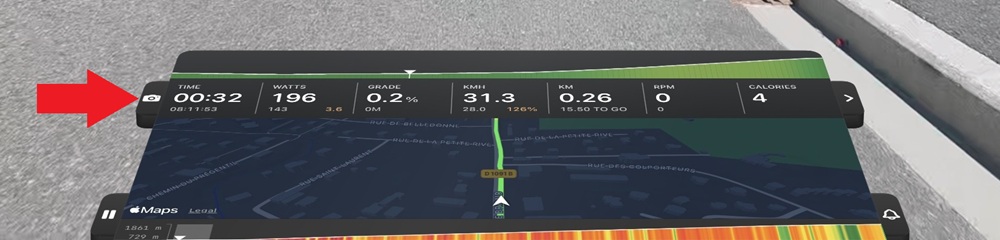
If you have your HUD set up with the map and elevation chart hidden, the screenshot button will also be hidden. You can find it by tapping the right-side ">" button to access settings, then tapping the camera icon under GRAB.

Finding your screenshots: Your screenshots are stored in your device's camera roll or Photos directory.
On Apple TV, you will need to have iCloud photos set up on the device and permissions enabled for Vieta. Your screenshots will then be saved into your iCloud account.