Vieta offers three Riding Modes, selected on the connection screen before starting your ride.
Ride at Original Speed
In this mode the video always plays at the speed it was filmed (100%) independent of your pedalling speed/power. Your smart trainer still reacts to the hills, changing the resistance to match the gradient of the road.
Choose this mode if you'd like the scenery to keep flowing no matter your pedalling input. This mode is also useful if you're riding a "classic" non-smart trainer, or your spin bike does not connect to Vieta via Bluetooth.
Ride at Your Speed
This is the mode that most riders will select. The video playback varies with your power input, moving as fast as you ride. Hit a steep climb and the video will slow down, push harder and the road speeds up, ease off and it slows down, just like riding outside! This is the most realistic way to ride.

This mode requires a smart trainer, smart bike, or powermeter connection.
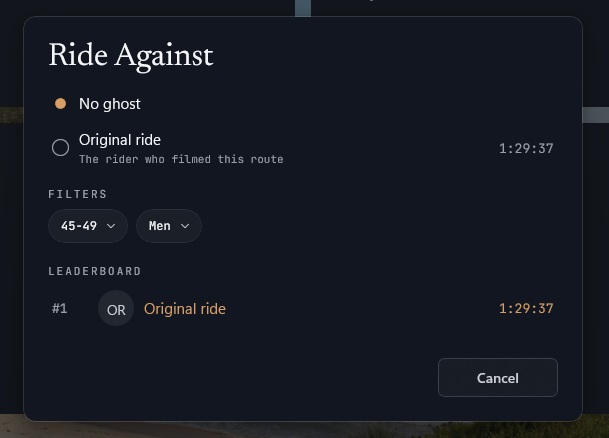
When riding at your own speed you can also select a "ghost rider" to ride against. In the "Ride at Your Speed" box, select the Ride Against option. Each ride has the original rider's ghost loaded by default. Select a rider, start your ride, and see how you stack up!
Add Workout
You can also upload your own custom workouts in ZWO format via your Vieta Dashboard on the website (or directly from the Add Workout pop-up for the Windows app). These will be available for you to add to your ride.
Workout rides are ridden at the Original Speed, but the speed and distance data uploaded to third-party sites and in the FIT file will be calculated using your own power data.