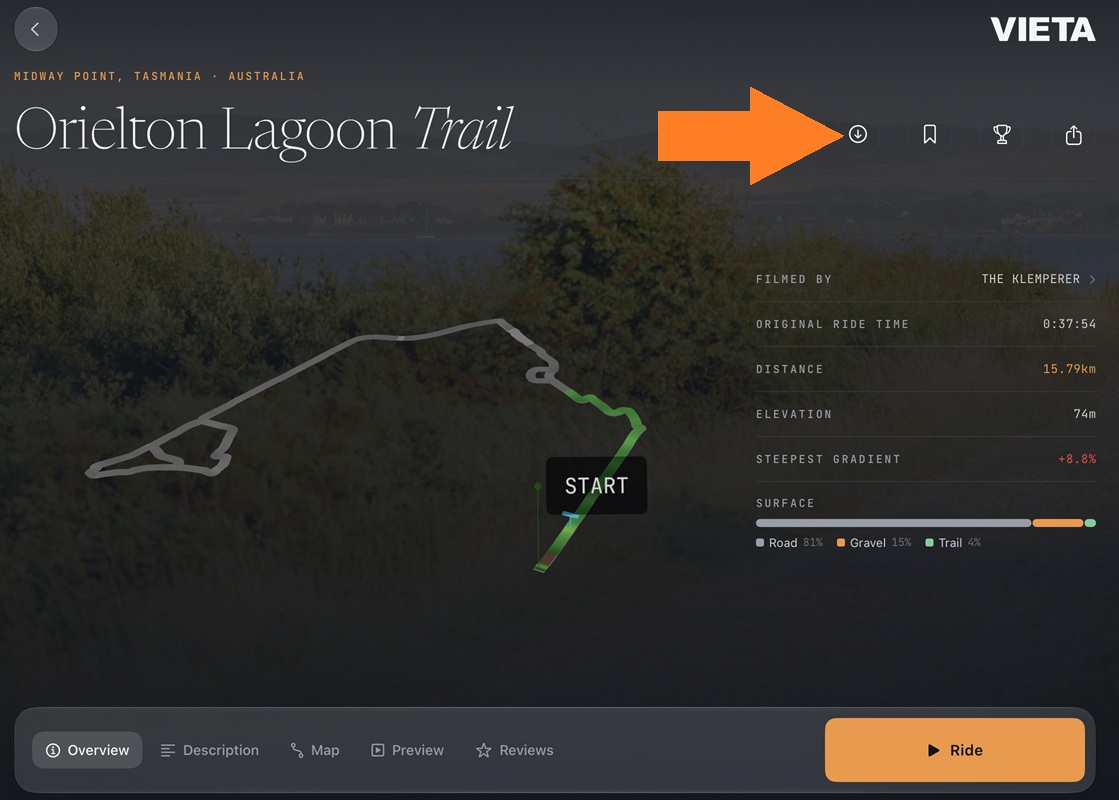
On most internet connections, downloading will not be necessary. Vieta's streaming technology means that streaming even in 4K is easier than ever before. If you would like to download your ride video beforehand, you can do so on each ride's preview page.
- Select the ride you would like to download
- In the top right corner, tap the "down arrow" button
- Select the quality you would like to download
- Your download will begin
During the downloading process, the current completion percentage and download speed are shown. Tap the button again to pause or cancel the download. Once completed, you can delete the downloaded file by tapping the button again.
Vieta will check your device to ensure there is enough free space, but it is worth noting the file sizes below and ensuring you have more than enough space free to store the downloaded file.
Below is a rough guide on the file sizes for Vieta rides in each quality setting.
4K+ ~ 27 GB per hour 4K ~ 9 GB per hour 1080p ~ 2-3 GB per hour
Do I need to download at all?
Not usually. On most home internet connections you will be able to stream rides without any mid-ride buffering or issues. straight away. Downloading is a handy option if your internet is slower or your training space suffers from WiFi dropouts. The following internet speeds will give reliable streaming.
100 Mbps for 4K+ video 50 Mbps for 4K 25 Mbps for 1080p