For Windows devices there are some advanced options in settings that can give you even smoother video with an advanced video player. The trade-off is that these settings do require a little more GPU processing power and RAM.
To turn on these advanced video player settings:
- Head into Settings > Diagnostics
- Enable both Advanced Playback and Finest Colour
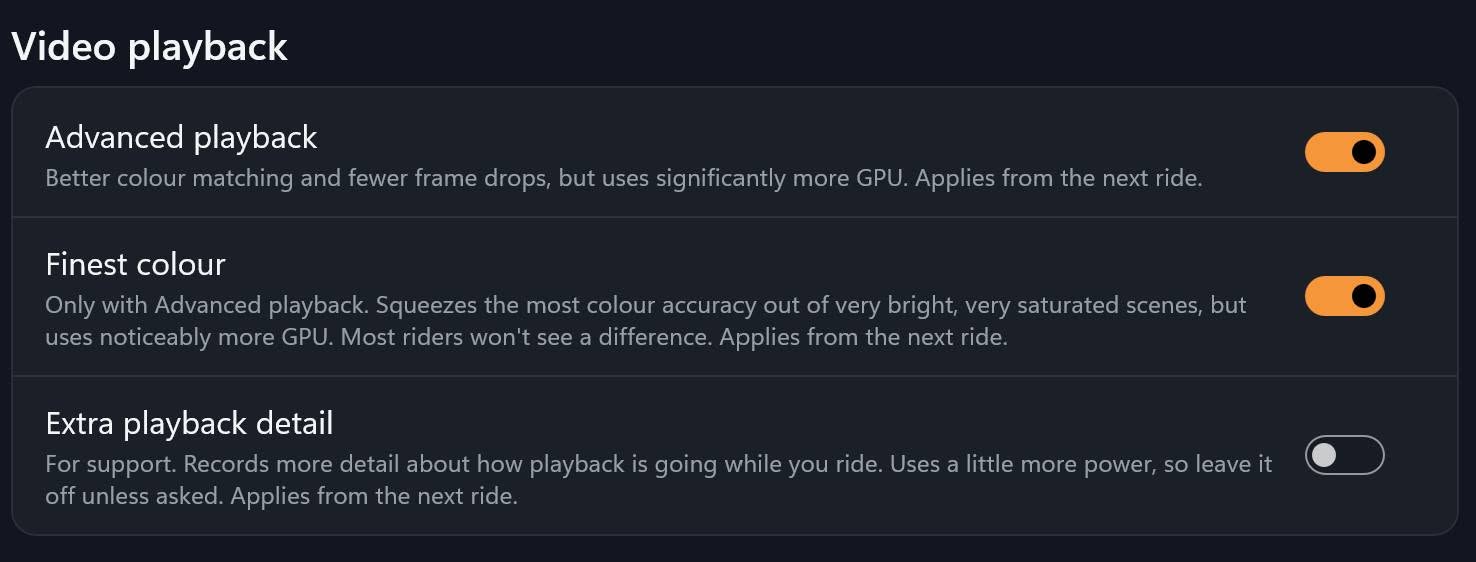
This swaps the video player to the higher quality playback version.
If you find that performance suffers (eg: lower refresh rate, lagging or buffering) then please turn these settings off again.